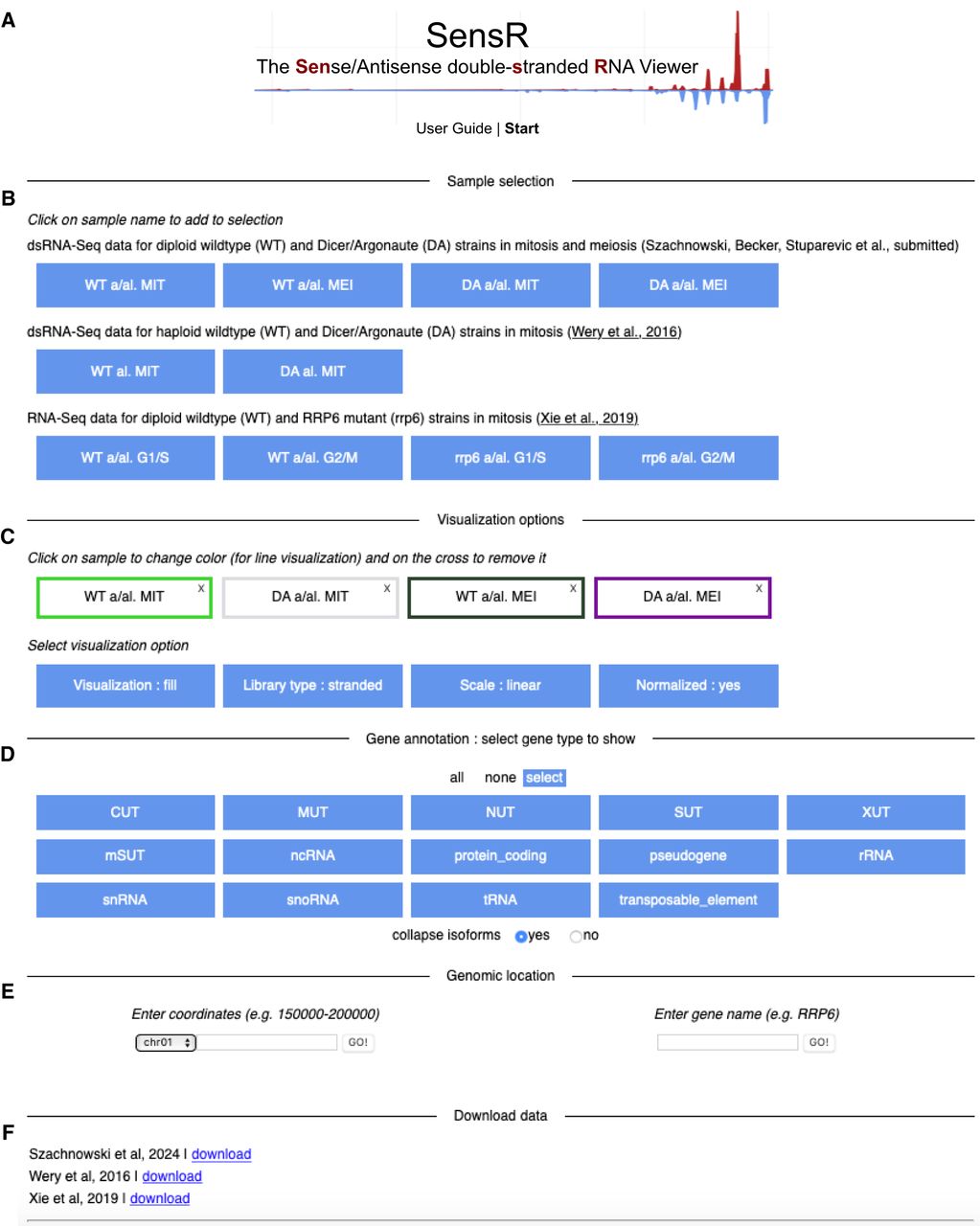
FIGURE 7.
SensR start page and query interface. (A) The welcome page contains a link to the downloadable user guide in PDF format and the Start button. (B) The query interface is shown. (C) Preselected samples are given at the top. Various options for data display are given at the bottom. (D) Options to increase or reduce the data content of the report page are shown. (E) Query options using genome coordinates (left) or gene names (right) are displayed. (F) Data sets defined by references are provided via download links that allow for retrieving compressed files in bigWig format for further analyses using standalone software solutions.